By NFC Business Cards Editorial Team | Published | Updated | Buying guides
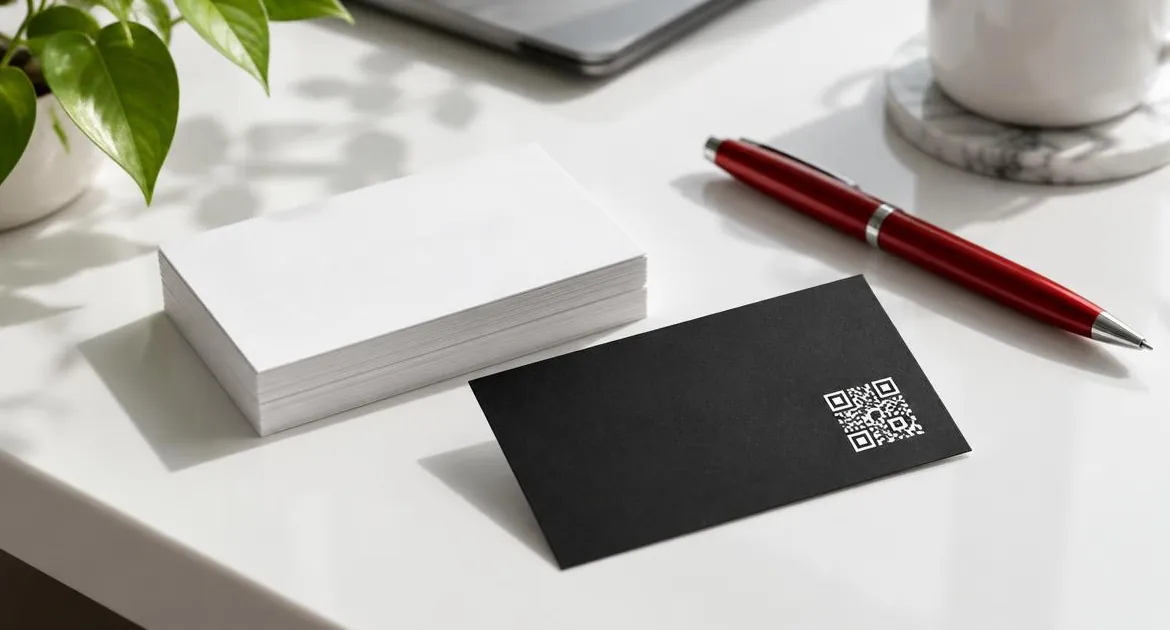
Paper business cards are simple, cheap per card and understood everywhere. An NFC business card is one card that opens a profile on the other person's phone. Each one is better at different things, and plenty of people use both.
This guide compares them honestly: what happens when your details change, what happens at a handover, when to carry both and how the costs compare. For how NFC cards work, start with our guide to how NFC business cards work.
When your details change
Paper. Your details are printed. A new job title, phone number, email or website means the cards you have are out of date. You either cross things out or order a new batch. The cards you have already handed out stay wrong. NFC. The card opens your online profile. You edit the profile, and every card you have already handed out shows the new details. The printed side carries only your name, role and logo, so it rarely goes out of date.What happens at a handover
Paper. You hand over a card. The other person puts it in a pocket or a wallet. Later, they type your details into their phone, or the card gets lost. NFC. You hold the card near their phone, or they scan the printed QR code. Your profile opens straight away, and they tap a button to save you as a contact. The card stays with you.The NFC handover takes a second or two, but it needs the other person's phone. Our guide to how to use an NFC business card covers what to say. A tap works on iPhone XR or later and on Android phones with NFC switched on. Other camera phones scan the printed QR code. Our guide to NFC vs QR code business cards covers when each works best.
Side by side
| Paper business card | NFC business card | |
|---|---|---|
| What you hand over | A card they keep | A tap or scan, then you keep the card |
| Details saved to their phone | Typed in by hand, if at all | One tap on save-contact |
| Links and portfolio | A printed web address at most | Website, socials, portfolio and booking links |
| When details change | Reprint the batch | Edit the profile |
| How many you need | One for each person you meet | One card, used again and again |
| Needs the other person's phone | No | Yes, NFC or a camera |
| Works when someone wants a card to file | Yes | No, unless you also carry paper |
A simple cost comparison
Prices for paper cards vary widely with the printer, paper, finish and quantity, so we do not quote them. Instead, the table below counts paper in "batches": whatever your printer charges for one run. The NFC column is our real price for your store.
| Situation in a year | Paper cards (example) | One NFC business card |
|---|---|---|
| No changes in the year | 1 batch | CA$99, paid once |
| 1 change of details | 2 batches | No extra cost: edit the profile |
| 2 changes of details | 3 batches | No extra cost: edit the profile |
| You run out of cards | Another batch | No extra cost: the same card is tapped again |
How this plays out depends on you. If your details never change and you rarely run out, paper stays cheap. If you change roles, numbers or websites, or you meet many people, the NFC card avoids the reprints.
Our guide to the NFC business card price shows every part of the NFC price for your store, including materials, extras and delivery.
When paper still makes sense
- People expect a card to keep. Some settings and some people prefer something to file.
- Formal exchanges. In some industries a printed card is part of the etiquette.
- No phone in the moment. If someone cannot or will not use their phone, paper still works.
- Very large handouts. If you leave cards on a counter for anyone to take, paper is easier to give away.
When NFC makes more sense
- Your details change. New roles, numbers or websites are edits, not reprints.
- You meet people often. One card is tapped again and again.
- You want more than a phone number. A profile carries your links, portfolio and booking page.
- You want contacts saved. A tap on save-contact puts you straight into their phone.
What the other person ends up with
After a paper exchange, the other person has a card. Whether your details reach their phone depends on them typing it in later.
After an NFC exchange, they have your contact saved on their phone, if they tapped save-contact, and a link back to your profile. If your details change, the profile shows the new ones the next time they open it. That is the main practical gain: your details stay current on the other side too.
When to carry both
Many people carry an NFC card and a few paper cards.
- Lead with the NFC card in most meetings.
- Keep a few paper cards for people who ask for one, or for settings where paper is expected.
- Put the same name and role on both, so they match.
As your details change, let the paper stock run down and update only the profile.
A note on first impressions
A good paper card on heavy stock still makes an impression. So does a metal or bamboo NFC card, for different reasons. Neither replaces a clear introduction. What changes with NFC is what happens next: the contact lands on their phone straight away, with your links attached.
Moving from paper to NFC
- Gather the details on your paper card, plus the links you want to share.
- Order an NFC card in the material you prefer.
- When it arrives, set up your profile with those details, as our guide to setting up your NFC business card explains.
- Tap the card and scan the QR code on your own phone to check the profile.
- Use your remaining paper cards as a backup rather than reprinting.
Personalised cards are made to order and are not returnable for a change of mind, so check your name and role before you order. Physical cards carry a 12-month warranty that covers manufacturing faults.
What about the environment?
We do not publish an environmental comparison between paper cards and NFC cards, so we make no claim either way. What is factual is that one NFC card can replace repeat print runs when your details change, because you edit the profile instead.
Our view
If you meet people regularly or your details change, an NFC card is the better everyday tool. Keep a few paper cards for the moments when someone wants something to file.
Compare materials and plans on our NFC business card page.
Frequently asked questions
Is an NFC business card better than a paper one?
It depends on how you use it. NFC is better when details change or you meet people often. Paper is better when people expect a card to keep.
Do I still need paper business cards?
Many people keep a few as a backup for people who ask for one, or for settings where paper is expected.
What happens to an NFC card when my details change?
You edit your online profile, and every card you have handed out shows the new details. There is nothing to reprint.
Does the other person need a phone for an NFC card?
Yes. A tap works on phones that read NFC, and other camera phones scan the printed QR code.
How do the costs compare?
Paper is cheap per batch but needs reprints when details change. An NFC card is paid once and edited instead. The cost table in this guide shows our real price for your store.
Can I use the same design on both?
Yes. Put the same name, role and logo on both, so they match.
What if someone does not want to use their phone?
Offer a paper card if you carry a few. Otherwise, they can scan the QR code later, or you can share the profile link with them.