By NFC Meishi Business Cards Editorial Team | Published | Updated | Using your card
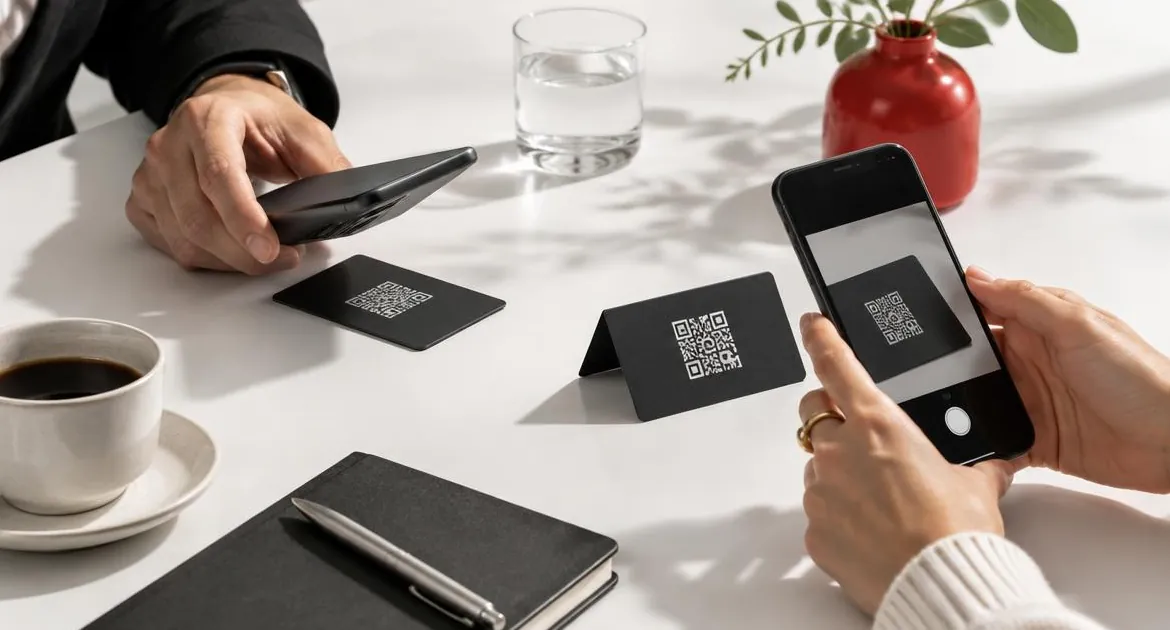
People often ask whether they should choose an NFC card or a QR code card. On our cards you do not have to choose. Every card has an NFC chip and a printed QR code, and both open the same profile. Still, the two work differently, and knowing when each one shines makes every exchange smoother.
For how the chip and profile work, read our guide to how NFC meishi business cards work.
How each one works
- NFC tap. The other person holds their phone close to your card. The phone's reader powers the chip for a moment, the chip sends back a link, and the phone opens your profile.
- QR scan. The other person points their phone camera at the printed code. The camera reads the link in the code and offers to open your profile.
Both lead to the same place: your online profile, where they can save your contact.
Speed
In person, a tap is usually the quickest. The phone only has to come within a few centimetres of the card, and the profile opens in a second or two.
A scan is quick too, once the camera focuses. It takes a moment longer because the person has to open the camera, point it and tap the link that appears.
Which phones
- Tap: iPhone XR or later, and Android phones with NFC switched on.
- Scan: other phones with a camera.
Some Android phones have NFC switched off, and some lower-priced models do not include it. Older iPhones do not read cards in the background. For all of these, the QR code is the way in. Our guide to which phones can read an NFC meishi business card covers where to tap and what to do when a tap does nothing.
Light and distance
- Light. A tap does not need light. It works in a dim bar or at an evening event. A scan needs the camera to see the code, so very low light or a glare on a shiny surface can slow it down.
- Distance. A tap needs the phone almost touching the card. A scan works from arm's length, which is easier across a table or when someone does not want to hand over their phone.
Cards, screens and slides
A tap only works with the physical card. A QR code works anywhere it can be shown:
- on a slide at the end of a talk;
- on a screen during a video call;
- on a sign at a stand or front desk;
- in an email signature or a printed handout.
For anything shown on a screen, the QR code is the option. That is one reason we print it on every card: the same profile can be opened from the card in your hand or from your slide.
Groups and busy moments
When several people want your details at once, both work together. One person taps while others scan the printed code from a short distance. You do not need a stack of cards, and the card stays with you.
What the other person sees
Whichever way they open it, the other person sees the same thing: your online profile in their browser. At the top are your name, role and photo or logo. A button saves your contact straight into their phone, and your links sit below.
Nothing is installed and nothing changes on their phone. If they want your details again later, they can open the saved contact or tap your card again.
Using both at events
Events are where the two work best together.
- On a stand, put the QR code on a sign so people can scan it while you talk to someone else, and keep the card in your hand for one-to-one taps.
- At a talk, end with a slide that shows the code, then offer the card to people who come up afterwards.
- At a dinner or reception, a tap is quicker and quieter than asking someone to open their camera.
The same profile sits behind all of them, so every contact lands in the same place.
Decision table by situation
| Situation | Best option | Why |
|---|---|---|
| One-to-one meeting | Tap | Quickest, and it feels natural |
| The other phone does not read NFC | Scan | The QR code covers other camera phones |
| Dim room or evening event | Tap | No light needed |
| Across a table | Scan | Works from arm's length |
| Several people at once | Both | One taps while others scan |
| Talk, slide or video call | Scan | Only the code can be shown on a screen |
| Stand or front desk sign | Scan | A printed code is visible to everyone |
| Phone in a thick or magnetic case | Scan | Cases can block a tap |
Why every card we sell carries both
A card that relies on one method leaves some people out. An NFC-only card cannot reach phones without NFC, and it cannot be shared on a screen. A QR-only card asks every person to open their camera, even when a tap would be quicker.
Putting both on one card means you can offer the quickest option to each person. In practice that looks like this:
- Offer the tap first: "tap here to save my details".
- If nothing happens in a couple of seconds, point to the QR code.
- On a screen or slide, show the QR code.
Because the chip and the code open the same profile, it does not matter which one someone uses. Edit the profile once and both show the change.
Common mix-ups
A few beliefs come up again and again.
- "NFC needs an app." It does not. iPhones and Android phones read the card with their built-in reader and open the link in the browser.
- "QR codes are old-fashioned." They are still the simplest way to share from a screen, and most phone cameras read them without an app.
- "A tap shares my phone's data." It does not. A tap or a scan only passes a web link. Our guide to whether NFC meishi business cards are secure explains what the chip stores.
- "It works without the internet." The profile is a web page, so the other phone needs mobile data or Wi-Fi to load it.
What about QR-only cards and stickers?
You can print a QR code on any paper card, and it will work. What you lose is the tap, which is the quickest way to share in person. You also need a new batch of cards if the code points to a page you cannot change.
On our cards the code points to your editable profile, so it never needs reprinting when your details change.
A quick way to explain it
Most people have never been handed an NFC card, so a short line helps. Try: "Hold your phone here, near the top, or scan the code if that is easier." It covers both methods in one breath and lets the other person pick.
If they hesitate, hold the card still near the top of the back of their phone. If nothing happens after a couple of seconds, turn the card and point to the code. Keep it relaxed: the aim is to get your details saved, not to show off the tap.
Before your first meeting
- Tap your card on your own phone and check the profile opens.
- Scan the QR code with your camera and check it opens the same profile.
- Practise the "tap here" prompt and where to point.
Our checklist before you buy an NFC meishi business card includes this test as its last point, and our guide to how to use an NFC meishi business card covers what to say when you offer the tap or the code.
You can see the chip and printed QR code on every material on our NFC meishi business card page.
Frequently asked questions
Is NFC or QR code better for a meishi business card?
Both, on one card. A tap is quickest in person on phones that read NFC. A QR code covers other camera phones and screens.
Do both open the same thing?
Yes. On our cards the chip and the printed QR code open the same online profile.
Does a QR code need an app?
No. Modern iPhone and Android cameras recognise QR codes without a separate app.
Does a tap work in the dark?
Yes. A tap does not need light. A scan needs the camera to see the code.
Can I put the QR code on my slides?
Yes. Show the same code on a slide or screen, and it opens the same profile as your card.
Which phones need the QR code?
Phones that do not read NFC, or have it switched off, and older iPhones that do not read cards in the background.
Does either one work without mobile data?
The tap or scan itself does, but your profile is a web page. The other phone needs mobile data or Wi-Fi to load it.