By NFC Meishi Business Cards Editorial Team | Published | Updated | Buying guides
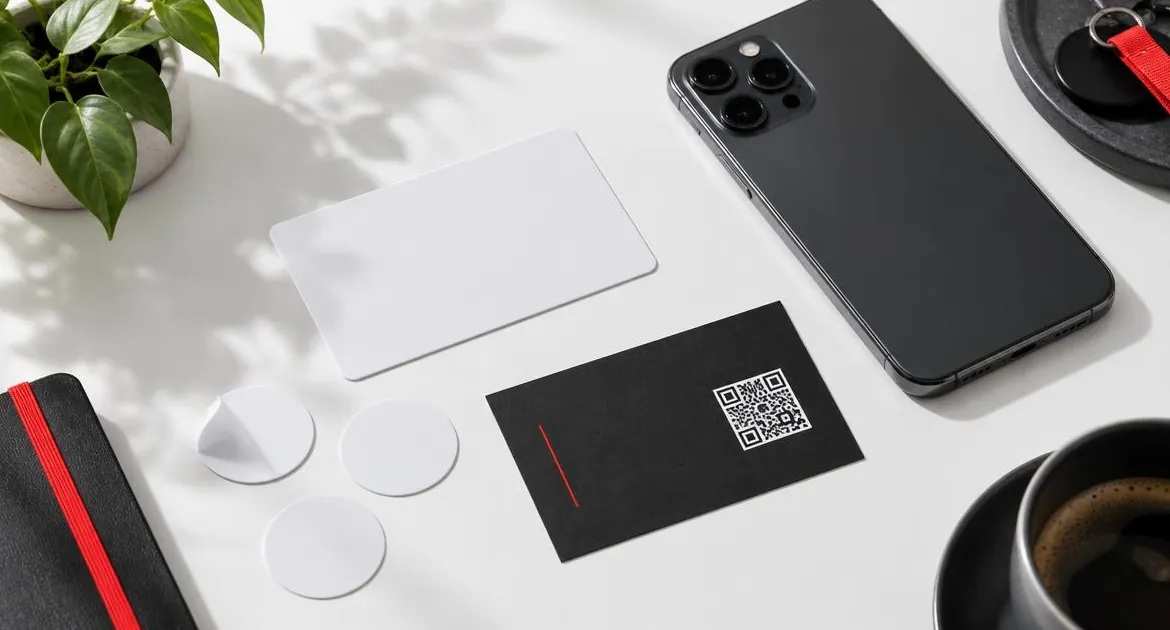
You can make your own NFC meishi business card. Blank NFC cards and stickers are easy to find, and a free app on your phone can write a link to them. Whether that is a good idea depends on what you want the card to do and how much you want to manage yourself.
This guide compares a DIY card with a ready-made one, neutrally. For how NFC cards work in general, start with our guide to how NFC meishi business cards work.
What a DIY NFC meishi business card involves
A DIY card usually means three things:
- A blank NFC card or sticker. It has a chip inside and nothing printed on it.
- A writing app. An app on your phone writes a link to the chip. Our guide to updating the link on an NFC card shows how this works with the NFC Tools app.
- A page to link to. The chip only stores a link, so you need something for it to open: your website, a social profile or a page you build.
Hold the card against your phone, write the link, and the card is ready. If you want, you can also lock it so nobody can change the link.
What a ready-made card involves
A ready-made card, like ours, arrives finished:
- printed with your name, role and, as a paid option, your logo;
- a printed QR code that opens the same place as the chip;
- an online profile hosted for you, with a save-contact button, that you edit at any time;
- a choice of PVC, bamboo wood or metal;
- a 12-month warranty that covers manufacturing faults.
You set up the profile when it arrives and tap the card to check it. Our guide to setting up your NFC meishi business card walks through each step.
DIY vs ready-made at a glance
| DIY card | Ready-made card | |
|---|---|---|
| Effort | You write the chip and find or build the page | Set up the profile and test |
| Look | Plain, unless you print it yourself | Printed with your name, role and logo |
| Material | Usually plain plastic or stickers | PVC, bamboo wood or metal |
| QR code | Only if you add one | Printed on every card |
| What a tap opens | Whatever page you link | Your hosted, editable profile |
| Save-contact button | Only if your page has one | Included in the profile |
| Changing details | Edit your page, or rewrite the chip | Edit the profile |
| If something goes wrong | You fix it | Warranty for manufacturing faults |
| Cost | See vendor site for blank cards and apps | Our price, paid once |
The effort involved
A DIY card is quick to write but takes time to get right.
- Choosing a blank card. Blank cards and stickers vary. Some suit phones better than others, and stickers on metal surfaces may not read.
- Writing the link. The app needs the right type of record, usually a URL. A typo in the link means a card that opens the wrong page.
- Testing. Check it on more than one phone, iPhone and Android, before you hand it out.
- Locking. Decide whether to lock the card. A locked card cannot be changed by anyone, including you.
A ready-made card skips most of this. The work moves to setting up your profile, which you would need to do for a DIY card anyway.
The look
A blank NFC card is usually plain white plastic. You can print on some blank cards with a suitable printer or send them to a printer, but that is another step and another cost.
A ready-made card is printed for you on the material you choose. Our guide to custom NFC meishi business card design explains the logo upload, layout and contrast on each material.
The QR code backup
A tap works on iPhone XR or later and on Android phones with NFC switched on. Other camera phones need a QR code. A blank card has none, so you would need to make a QR code for your link and print it on the card or a sticker.
Every card we sell has a printed QR code that opens the same profile as the chip. Our guide to NFC vs QR code meishi business cards explains why both matter.
Changing the link later
This is where the two differ most.
- DIY. If the chip points to a page you control, edit the page. If you need the card to open somewhere else, rewrite the chip with the app. A printed QR code does not change when you rewrite the chip, so it would still open the old link.
- Ready-made. The chip and QR code open your profile. You edit the profile, and every card you have handed out shows the new details. You rarely need to rewrite anything.
What can go wrong with DIY
- The page moves or closes. The card then opens an error. Link to a page you control and will keep.
- No save-contact button. A social profile or a basic web page may not let people save you as a contact in one tap.
- The card is rewritten by someone else. An unlocked card can be rewritten by anyone holding it with a writing app.
- Locked too early. A locked card with a wrong link cannot be fixed.
- No QR code. People with phones that do not read NFC cannot open it.
- A plain card. It works, but it may not look the way you want in a client meeting.
None of these is a reason not to try DIY. They are reasons to plan it.
A middle path
You can start with a DIY card to try the idea, then move to a printed card once you know you will use it. If you are also replacing paper cards, our guide to NFC vs paper meishi business cards covers that switch. If you do this, link your DIY card to a page you will keep, such as your own website. Then, when your printed card arrives, both can open the same place, and nobody you met with the DIY card is left with a dead link.
If you already have an NFC card from us and want it to open somewhere else, you rarely need to rewrite it. Edit the profile instead, and the card keeps working.
When DIY makes sense
- You enjoy setting things up and already have a page you want to share.
- You need a quick test before buying printed cards.
- The card is for personal use, such as sharing one link with friends.
When ready-made makes sense
- You hand the card to clients, partners or employers.
- You want your name, role and logo printed, and a QR code on the card.
- You want people to save your contact in one tap.
- You want to change your details without touching the card.
If you choose ready-made, compare the materials and plans on our NFC meishi business card page.
Frequently asked questions
Can I make my own NFC meishi business card?
Yes. Write a link to a blank NFC card with a phone app. You also need a page for the link to open and, ideally, a QR code for other phones.
Which app writes NFC cards?
Several apps can. Our guide to updating the link on an NFC card shows how it works with the NFC Tools app.
Does a DIY card need a QR code?
It does if you want phones that do not read NFC to open it. A blank card has none, so you would add one yourself.
Can I rewrite a DIY card later?
Yes, unless you have locked it. A printed QR code does not change when you rewrite the chip.
What does a ready-made card add?
Printing, a QR code on every card, a hosted profile you edit with a save-contact button, a choice of materials and a 12-month warranty for manufacturing faults.
How much does a DIY card cost?
It depends on the blank cards and app you choose, so see the vendor site. Our cards are a one-time payment, with the price shown for your store.
Should I lock a DIY card?
Lock it only once you are sure the link is right and will not change. A locked card cannot be rewritten by anyone, including you.