By NFC Business Cards Editorial Team | Published | Updated | By profession
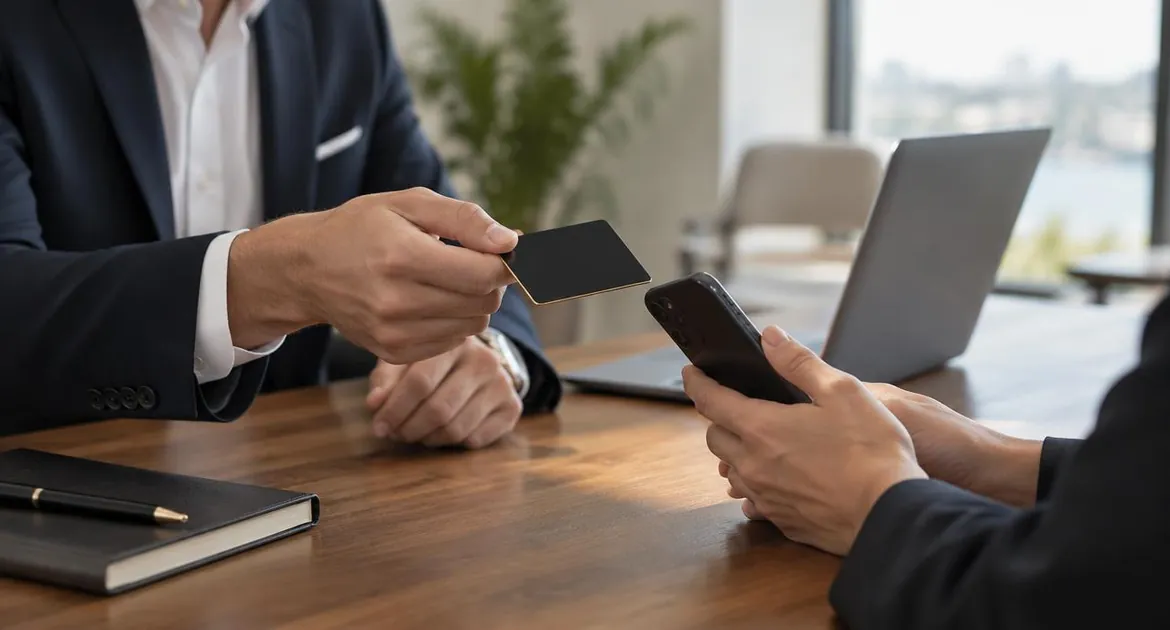
When you work for yourself, you are the business. Your services, availability and best work change through the year, and a paper card cannot keep up. An NFC business card opens an online profile you edit, so a client who taps your card today and again next year sees what you offer now.
This guide covers what consultants and freelancers can put on that profile, how to organize it for different clients and which card material suits client meetings. For the basics, see how NFC business cards work.
Why the card suits independent work
- Your details change. New services, a new rate card, a new website. You edit the profile, not the card.
- You meet people in many settings. Discovery calls, client offices, workshops and events. A tap works in person; the printed QR code works on a screen.
- First impressions carry weight. A well-made card in metal or bamboo wood says something before you do.
- You want the next step to be easy. A booking link on the profile turns "let's talk" into a date in the diary.
What to put on your profile
Contact details first
Your name, role, phone number, email and website belong at the top. They are what goes into a client's phone when they tap save contact. If you trade under a business name, use the same name on the card, the profile and your invoices, so clients find you easily.
A booking link
This is the most useful link for most independents. Add a link to your booking page or calendar, so a client can choose a time straight from the profile. With the Business Add-ons plan, the profile also has its own bookings and inquiries features, so you can take requests without a separate tool.
Case studies
Case studies show what you do better than a list of services. The Brand Presence plan includes a documents section, a gallery and a blog, so you can:
- add a short case study as a document;
- show before-and-after work in the gallery;
- write a brief summary of a project as a blog post.
Only name a client or show their work with their permission. If a case study is confidential, put it in a section with password protection and share the password with people you trust.
LinkedIn and your other profiles
Add LinkedIn to your social links, especially if clients check you there before they reply. Add other profiles only if you keep them up to date.
Services and testimonials
The products section can list what you offer. Testimonials help too, but use only real ones, with the client's permission to show them.
What to put first, by client type
| Client type | Put first | Also useful |
|---|---|---|
| Corporate clients | LinkedIn and a booking link | Case studies in a password-protected document |
| Small businesses | Booking link and services | Testimonials, with permission |
| Agencies that subcontract | Portfolio or gallery | Your availability and a rate card document |
| Public sector buyers | Company details and website | A capability statement as a document |
| Start-ups | LinkedIn and a booking link | Short case studies as blog posts |
| People you meet at events | The save-contact button | An inquiry form, with Business Add-ons |
You can change the order whenever your focus changes. The visibility and order settings let you show the right sections first.
Which material for client meetings
All three materials use the same chip and the same printed QR code. The difference is the look and feel.
- Metal is the heaviest option, with a solid, rigid feel. It comes in black with a gold or silver finish. It suits consultants who meet senior clients and want the card to stand out. Metal cards read best from one area, so find the tap spot before your first meeting. Our metal NFC business card guide explains why.
- Bamboo wood is light and warm to the touch, and each card's grain is slightly different. It suits freelancers whose brand is natural or craft-led.
- PVC is the lightest option and the lowest price, in black, green, brown or blue. It suits you if you meet many people at events and leave cards behind.
For a side-by-side view, see our guide to metal vs PVC vs wood NFC business cards.
Designing the card
Keep the card simple: your name, your role and, as a paid option, your logo. The profile carries the detail, so the card does not need a list of services. You can also pay to remove the platform branding, so only your own brand shows.
Our guide to custom NFC business card design covers logo files, layout and contrast on each material.
Using the card with clients
- At the end of a first meeting, offer a tap and point to the booking link: "That's the easiest way to book a follow-up."
- On a video call, hold up the QR code or put it on a slide. The camera opens the same profile.
- At workshops and talks, show the QR code on your last slide, so the whole room can open your profile at once.
- After the meeting, update the profile with anything you promised to share, such as a relevant case study.
For what to say during the handover itself, see how to use an NFC business card.
When your work changes
Freelancers often change focus over the years. When that happens:
- update your role and services on the profile;
- swap in case studies that fit the new work;
- change the booking link if you use a new tool;
- tap the card to check everything opens.
The card in your pocket, and every card you have already handed out, now opens the new version. If the role printed on the card no longer fits at all, that is the moment to order a new card, not every time a detail changes.
If you work under two names
Each card opens one profile. If you run two separate businesses, or work under two names, consider a card for each, so each client sees the right profile.
Cards for specific roles
Our consultant business card page shows the card from a consultant's point of view, and the freelance writer business card page does the same for writers. Both use the same card as our main NFC business card page. If your work is visual, our guide for photographers and videographers covers portfolio-first profiles. If you coach or train clients, see our guide for personal trainers and coaches.
Frequently asked questions
What should a consultant put on an NFC business card profile?
Contact details at the top, then a booking link, LinkedIn and one or two case studies. Add services and real testimonials if they help clients decide.
Can I add a booking link?
Yes. Add a link to your booking page or calendar. The Business Add-ons plan also includes its own bookings and inquiries features.
Which material is best for client meetings?
Metal makes the strongest first impression, bamboo wood suits a natural brand and PVC is the lightest and lowest price. All three use the same chip and QR code.
Can I keep case studies private?
Yes. Put them in a section with password protection and share the password with the people you choose.
What happens when my services change?
Edit the profile. Every card you have handed out shows the new details on the next tap.
Does it work on video calls?
Yes. Hold up the printed QR code or show it on a slide, and the camera opens your profile.