By NFC Business Cards Editorial Team | Published | Updated | By profession
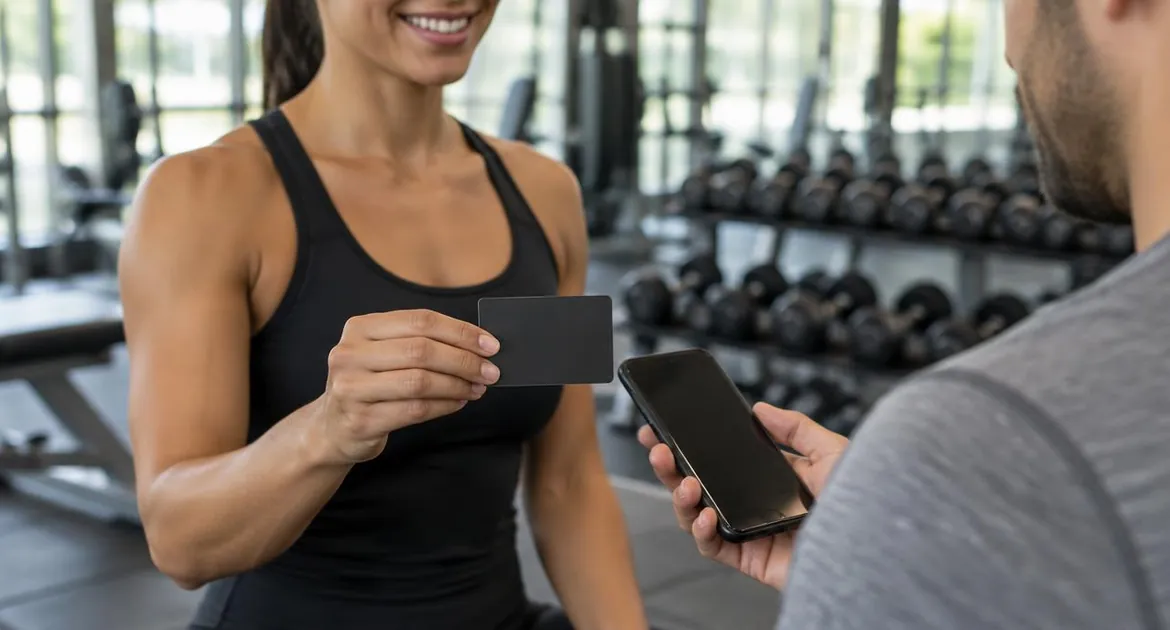
Personal trainers and coaches meet clients in places where paper cards do not last: the gym floor, a park, a studio, a video call. Clients want to know when your next class is, how to book and how to message you. An NFC business card opens an online profile with all of that, and you update it whenever your timetable changes.
This guide covers sharing your details on the gym floor, what to put on your profile and which card material suits a gym bag. For the basics, start with how NFC business cards work.
Sharing on the gym floor
The gym floor is a busy place to swap details. A tap is quick, but timing matters.
- Wait for a break. Do not interrupt someone mid-set. The end of a session or a rest between exercises is better.
- Ask first. "Can I tap my card on your phone? It has my timetable and booking link."
- Hold the card near the top of the back of their phone. The phone must be awake and unlocked.
- Keep the card somewhere safe. A pocket, a card holder or the front of your bag, not loose on a bench.
The tap works on iPhone XR or later and on Android phones with NFC switched on. Other camera phones can scan the printed QR code. Our guide to how to use an NFC business card covers what to say and what to do if a tap does not work.
What to put on your profile
Your class timetable
Add your timetable as a document, or link to the page where you publish it. When classes change, update the profile. The card stays the same, and every client who taps it sees the current timetable.
A booking link
Add a link to your booking page, so clients can book a session or a class from the profile. With the Business Add-ons plan, the profile also has its own bookings and inquiries features.
If you keep in touch with clients by message, add a WhatsApp chat link to your profile, so a new client can message you straight away. If WhatsApp is the only thing you want a tap to open, a single-link WhatsApp NFC card may be enough. Our guide to NFC business cards vs social media NFC cards compares the two.
Social links and testimonials
Add the social profiles where you post workouts or tips. Real testimonials help new clients decide, but only use them with the client's permission.
Where you meet clients, and what the tap opens
| Where you meet clients | What the tap opens first | Also useful |
|---|---|---|
| Gym floor | Your timetable | WhatsApp and your booking link |
| Group class | Your class timetable | Your booking link; hold up the QR code for the group |
| Outdoor sessions | Your booking link | |
| Online sessions | Your booking link, via the QR code on screen | Resources as a document |
| Wellness events and expos | The save-contact button | An inquiry form, with Business Add-ons |
| One-to-one coaching | Your booking link for the next session | A resource as a document |
| Corporate wellness | Your LinkedIn and services | A short program outline as a document |
Use the visibility and order settings to put the most useful section first.
Group classes and new members
Group classes are a good moment to share your details, because several people want the same thing: the timetable.
- At the end of a class, hold up the card and let people scan the printed QR code. It is quicker than tapping each phone.
- For a new member, tap the card on their phone and point to the booking link, so they can book their next session before they leave.
- At the front desk, if your gym allows it, ask whether you can leave a card with staff, so they can tap it for people who ask about personal training.
Keeping the profile current
Your timetable and availability change more often than most people's details. Build a small habit around it:
- update the timetable on your profile when classes change;
- check your booking link still opens the right page;
- tap the card on your own phone to see what clients see.
Every card you have handed out shows the change on the next tap, so there is nothing to reprint.
PVC for the gym bag
All three materials use the same chip and printed QR code. For a gym bag, PVC is the practical choice:
- it is the lightest option;
- it is a standard card thickness that fits a wallet or card holder;
- it comes in black, green, brown or blue;
- it is the lowest-priced material, which helps if you leave cards with new clients.
Keep it in a card holder or a pocket of your bag, so it stays flat and clean. Our guide to PVC NFC business cards covers the colors, printing and price in your store.
Metal or bamboo for coaches
Coaches who meet clients one to one, or at corporate sessions, may prefer a card with more presence. Metal is the heaviest option, in black with a gold or silver finish. Bamboo wood is light and warm to the touch, with a natural grain. Our metal vs PVC vs wood guide compares all three.
Life and business coaches
Coaching often starts with a conversation. Your profile can make the next step easy:
- A discovery call link near the top.
- A short introduction to how you work, as a blog post.
- A resource, such as a worksheet, as a document. Password protection keeps it for clients only.
- LinkedIn, if clients find you through work.
Our guide for consultants and freelancers covers profiles for advisory work in more detail.
A note on clients' information
Keep health and personal questions for your own intake process, not a public profile. Your profile should share your details; it is not the place to ask for theirs beyond what you need to get in touch.
Cards for your role
Our fitness instructor business card and life coach business card pages show the card for each role. Both are the same card as our main NFC business card.
Frequently asked questions
What should a personal trainer put on an NFC business card profile?
Your contact details, your class timetable, a booking link and a WhatsApp chat link. Add social links and real testimonials if they help.
Can I update my timetable?
Yes. Edit the profile and every card you have handed out shows the new timetable on the next tap.
Which material is best for a gym bag?
PVC. It is the lightest option, fits a wallet or card holder and is the lowest price.
Can clients message me on WhatsApp from the card?
Yes, if you add a WhatsApp chat link to your profile. A single-link WhatsApp NFC card is another option if that is all you need.
Can clients book sessions from the profile?
Yes. Add a link to your booking page. The Business Add-ons plan also has its own bookings and inquiries features.
Does it work in an online session?
Yes. Hold up the printed QR code or show it on screen, and the camera opens your profile.